
I deleted my entire photo library.
~40,000 photos. Years of memories. Gone in the time it takes to hit enter.
I was in the Proxmox shell, typing a command to delete an LXC I didn’t need anymore. I fat-fingered the ID. The wrong container vanished. My Immich server. The thing that held every family photo, every vacation, every moment my wife cared about preserving.
I knew what I did the instant I hit enter. That sick feeling in your stomach when you realize you just deleted something that matters.
The photos themselves were fine. I had those backed up separately. But the albums? The organization? The metadata? The hundreds of hours my wife spent sorting and curating everything? That was gone.
It took several days of painstaking work to put it all back. Re-creating albums. Re-adding photos to albums. My wife’s reaction was… let’s just say worse than when the internet went down for a few hours.
That’s when I stopped telling myself I’d set up proper backups “eventually.”
I pulled an old DOGE mining rig from 2013 out of the closet, bought a cheap 2U case, and had Proxmox Backup Server running a few hours later.
Now when things break I don’t worry about it, I just restore the backup that is always less than 24hrs old.
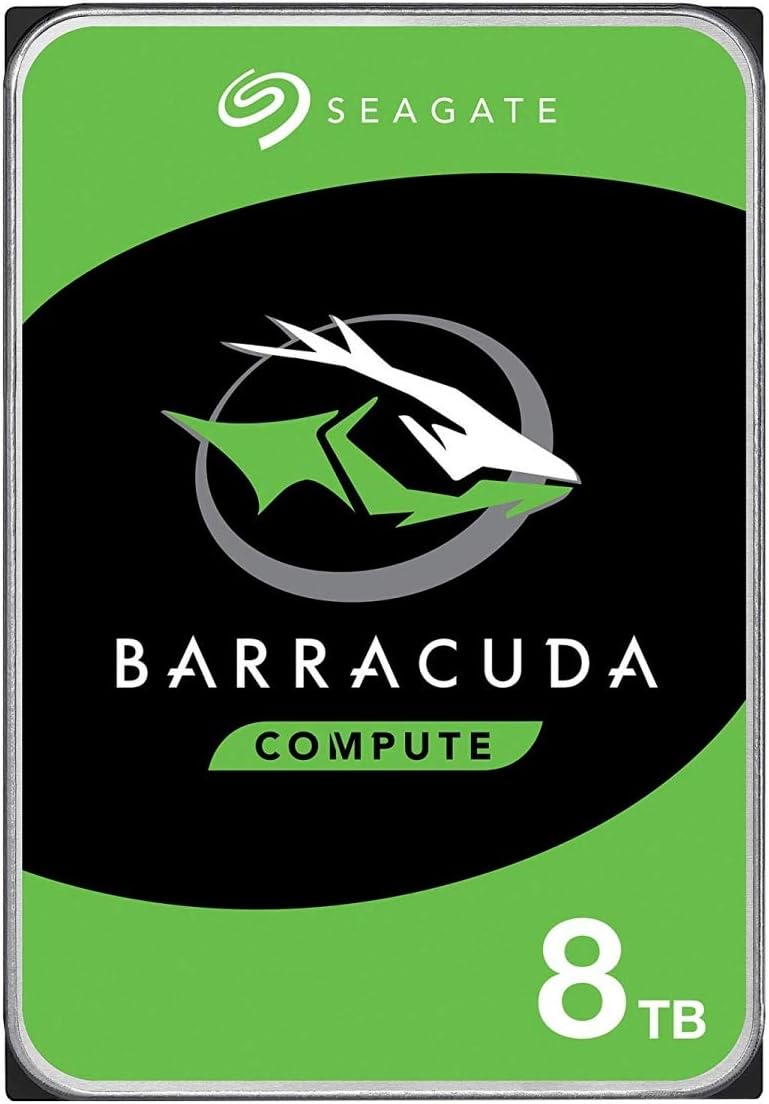
Right now one of the best price per GB you can find. Also has a 2-year warranty.
Everyone Talks About Backups. Almost Nobody Actually Has Them.
You tell yourself the same thing everyone else does:
“I have ZFS, I am fine.”
“I have RAID, I am fine.”
“I have snapshots, I am fine.”
Before I built my backup server, I lost data more than once. I broke VMs trying to optimize things. I had to rebuild LXCs from scratch because I thought I was careful enough to not need backups. Then I thought “I use Ansible playbooks and I can reconfigure services quickly”, but Ansible doesn’t restore your actual data.
When my all-in-one server PSU died while I was at work. It took out the router, storage, and compute all at once. When it was fixed, two VMs wouldn’t boot. Likely corruption from the sudden power loss.
But I still didn’t build a backup server. Adding another box meant:
More power draw.
More complexity.
More things to maintain and update.
Then I deleted Immich.
That was the line.
What Proxmox Backup Server Actually Is
Proxmox Backup Server, or PBS, is not a fancy rsync script. It is a dedicated backup appliance for Proxmox.
It does image level backups of LXCs and VMs. That means it backs up the whole guest, not just a few config files you hope you got right. When you restore, you are putting the entire VM or container back exactly how it was.
Core PBS features you actually care about:
-
Deduplication
PBS breaks data into chunks and reuses them across backups. Ten backups of the same VM do not use ten times the space. -
Incremental backups
The first backup is large. After that, PBS only stores the changes. That means daily backups are actually realistic. -
Retention and pruning
You can set rules like “keep 7 daily, 4 weekly, 6 monthly” and PBS will handle cleanup. -
Verification
PBS can verify that backups are readable. That is the part most people skip until it is too late. -
Encryption, if you want it
Helpful if the box is in a location you do not fully trust.
Short version. PBS is the ctrl-z for your Proxmox stack.
Why The Backup Node Needs Its Own Box
If you run PBS on the same hardware you are backing up, you are not doing backups. You are making local copies and hoping the box never dies.
Backups should live on different hardware. Period.
Here is why PBS needs to be a separate node and not just a VM with to everything else.
Hardware failure isolation
If your compute node dies, you still have PBS. You can rebuild a fresh Proxmox host, reconnect it to PBS, and start restoring guests. If PBS lived on that same dead box, you would be staring at a pile of useless backups on disks you cannot even boot.
NAS failure isolation
Same story for storage. If your NAS dies and PBS is just another datastore on that NAS, you lose both the source and the backups in one shot.
Security isolation
If something nasty gets into your compute node or NAS, it should not be able to casually wipe your backups. PBS on its own box, with good firewall rules, is much harder to wipe.
Upgrade and experiment freedom
You want to be able to reinstall Proxmox on the compute node without touching PBS. You want to be able to test new Proxmox versions, new kernels, new storage layouts. That is only safe if your backups live somewhere else.
One simple rule:
If the thing you are backing up and the backup live on the same physical box, you do not have a backup. You have a copy.
How I Finally Built This Thing
After the Immich incident, I was done making excuses.
I had an old DOGE mining rig from 2013 sitting in a closet. Yes, a DOGE mining rig. That hardware bought during the peak of meme cryptocurrency mania was about to become the most critical piece of infrastructure in my homelab.
Intel G1610 CPU.
GIGABYTE GA-B75M-D3H motherboard.
16GB of RAM that probably worth more than the entire rig today (Thanks AI).
It never made me any money mining Dogecoin. But it was about to save my ass repeatedly.
I bought a cheap 2U Rosewill case and moved everything over. A few hours later, PBS was running.
I threw in a 128GB SSD for the PBS system and 2 4TB HDDs for backup storage. That was it.
Total cost: ~$100 for the case.
I had some old drives on hand for the OS and storage.
Now that ancient hardware backs up:
- 8 VMs
- 12 LXCs
- Everything that matters in my homelab
Most guests get nightly backups. A few less critical ones get weekly backups. I keep 4 nightly backups, one monthly, then everything older gets auto pruned. And thanks to deduplication, I am only using 12% of the available storage.
If a CPU that once supported mining joke cryptocurrency can handle PBS for 20 guests, you do not need to overthink your hardware.
The first thing I did after getting PBS up and running was testing a restore. I picked my backup Pi-hole server since I run two and losing one wouldn’t matter. I backed it up. Then I deleted it on purpose.
Five minutes later it was back. Running. Working. Like nothing happened.
The relief I felt was immense. A weight I didn’t even realize I was carrying just lifted. All those years of anxiety about breaking things. All those careful, tentative changes to production services. All that tiptoeing around my own infrastructure. Gone.
This actually worked.
I have restored several LXCs and VMs at least two dozen times since then. Testing migrations. Trying new features. Breaking things to see what happens. Every time it is five minutes to get back to working.
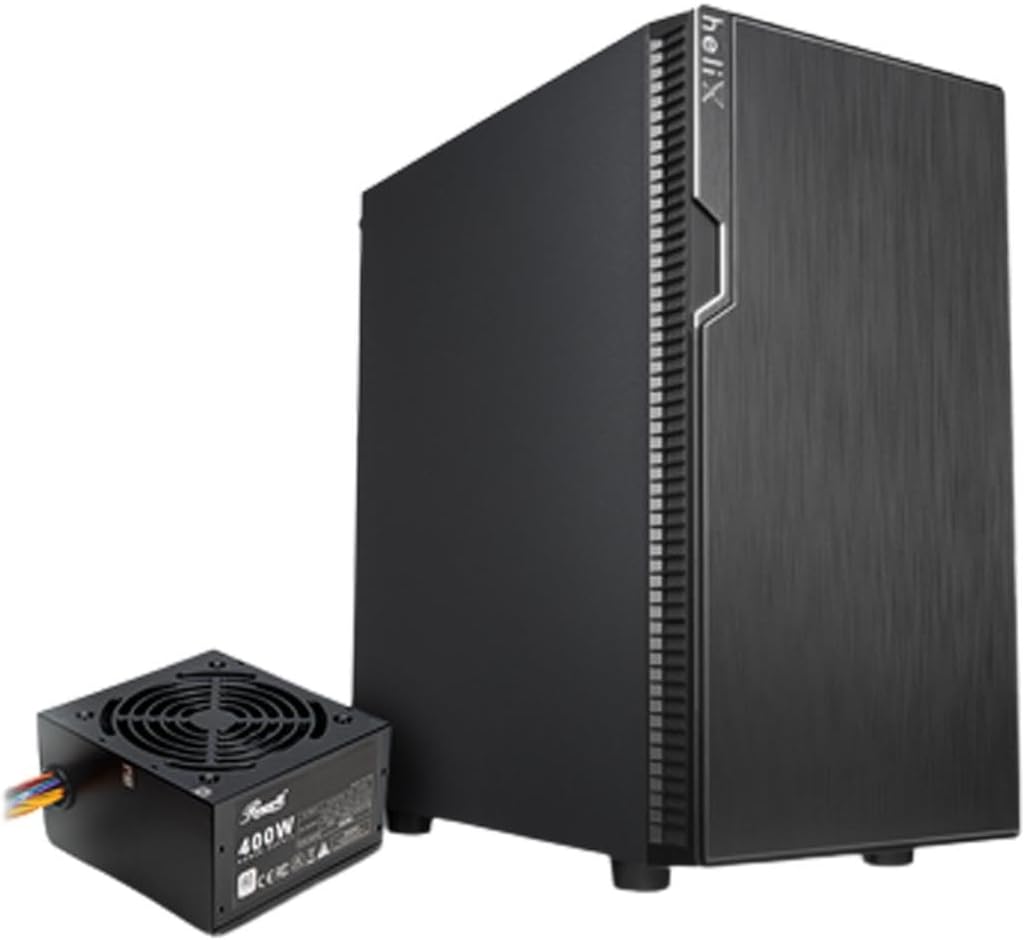
Compact Micro ATX tower with a pre-installed 400 W PSU, room for multiple 2.5 and 3.5 inch drives, and enough airflow options for a tidy budget backup server build.
How PBS Backs Up Proxmox Better Than Your Scripts
You can absolutely hack together backups with rsync, tar, and hope. You can write bash scripts that dump configs and copy directories.
PBS is better for one reason. It speaks Proxmox.
PBS uses datastores
You create one or more datastores on the PBS box. These are just directories on disks, usually large HDDs or SSDs. Proxmox guests get backed up into those datastores.
Backups are chunked and deduped
PBS stores data in chunks. If several VMs or containers share the same data, PBS stores that data once and references it many times. This reduces space and makes incrementals light.
Backups are incremental
First backup is full. After that, PBS only needs changed chunks. You can run nightly backups without filling disks in a week.
Backups are guest aware
VM backups use snapshot mechanisms correctly. LXC backups include config and data in a consistent way. You are not racing writes like you might be with raw rsync.
Restores are simple
From the Proxmox UI you can:
- Restore a VM or LXC when you break it
- Restore to a new ID so you can test first
- Move a guest to a different node during restore (I use this on a lot)
You don’t need to hunt down that random blog post you followed three months ago. You don’t need to remember which flags you used or how you configured the service. PBS gives you the entire machine, exactly as it was before you broke it.
What You Should Back Up With PBS
You probably do not need to PBS your entire lab. Backup the things that matter most.
Back up with PBS:
-
VMs that matter
- Docker stack VM
- Home Assistant or other important services
- Anything with a non-trivial config that would suck to rebuild
-
LXC containers that matter
- Reverse proxy
- DNS Servers
- Ansible and Playbooks
- Jellyfin / Plex
- Your media stack if you like LXCs
Things that PBS is not ideal for
-
Huge media libraries
40 TB of movies do not belong in PBS. That is what your NAS redundancy is for. Worst case, you redownload. -
Cold archives for years
You can keep long retention if you want to, but PBS is best for working backups of services, not glacier style storage.
A Backup Strategy That Does Not Suck
You need something simple enough that you will actually keep it.
Here is what I run and it works well:
Schedules
- Nightly backups for critical VMs and LXCs (Immich, Home Assistant, reverse proxy, databases)
- Weekly backups for less critical stuff (test environments, secondary services)
- Backup window at 2am when nobody is streaming
Retention
- Keep 4 backups total
- One monthly snapshot
- Everything older gets pruned automatically
This gives me short term protection against bad updates and my own stupid mistakes without eating up too much storage.
Verification
Turn on verification jobs, so PBS periodically checks backups for corruption. It is not enough to have files. You need files that actually restore.
Lightweight 3 2 1 (Future Goal)
If you want to get fancy later:
-
3 copies of important data
- Running VM or LXC
- PBS backup
- Optional offsite copy of PBS datastore or config
-
2 types of media
- Internal PBS disk
- External USB drive or another storage box
-
1 offsite
- Could be a cloud bucket, a box at a friend’s house, whatever
Do not overthink this from day one. Get PBS on a separate box first. Get nightly backups running. Then start thinking about offsite copies.
Networking And Security For PBS
This box protects everything else. Do not just drop it on the same flat network as your kids tablets.
Keep it on a management VLAN
- Put PBS on a subnet used for servers and admin stuff
- Only Proxmox nodes and your admin machine should talk to it
Lock down firewall rules
- Allow only Proxmox hosts and your admin box to connect on PBS ports
- Block general LAN clients from hitting the PBS web UI directly
- No random IoT gear or smart TVs talking to PBS
No direct internet exposure
- Do not port forward PBS from your router
- If you need remote access, go through VPN
- Tailscale, WireGuard, or a similar tunnel from your admin PC
PBS doesn’t need to be a fortress, but it does need to be harder to reach and harder to destroy than the machines it is backing up.
Hardware For A PBS Node
Good news. This box does not need to be powerful. It just needs to be reliable and have enough disk.
Here is what I am actually running:
My PBS Build (2013 DOGE Mining Rig)
The hardware that failed to make me rich mining meme cryptocurrency in 2013 is now the backbone of my backup strategy.
- CPU: Intel G1610 (a decade old dual core)
- Motherboard: GIGABYTE GA-B75M-D3H
- RAM: 16GB
- System: 128GB SSD
- Storage: 2 Mirrored 4TB HDDs
- Case: 2U Rosewill
- Backing up: 8 VMs and 12 LXCs
- Current usage: 12% of 4TB after months of nightly/monthly backups
If this ancient hardware can handle 20 guests with daily backups, you definitely do not need to overthink it.
General Guidelines
- 4 to 16 GB of RAM is plenty for most homelabs
- Small SSD for the PBS system (128GB works fine)
- Big HDD or SSD for datastore (2-4TB is a good start)
- CPU does not matter much, disk and network do
You probably have spare hardware sitting around that is more than capable.
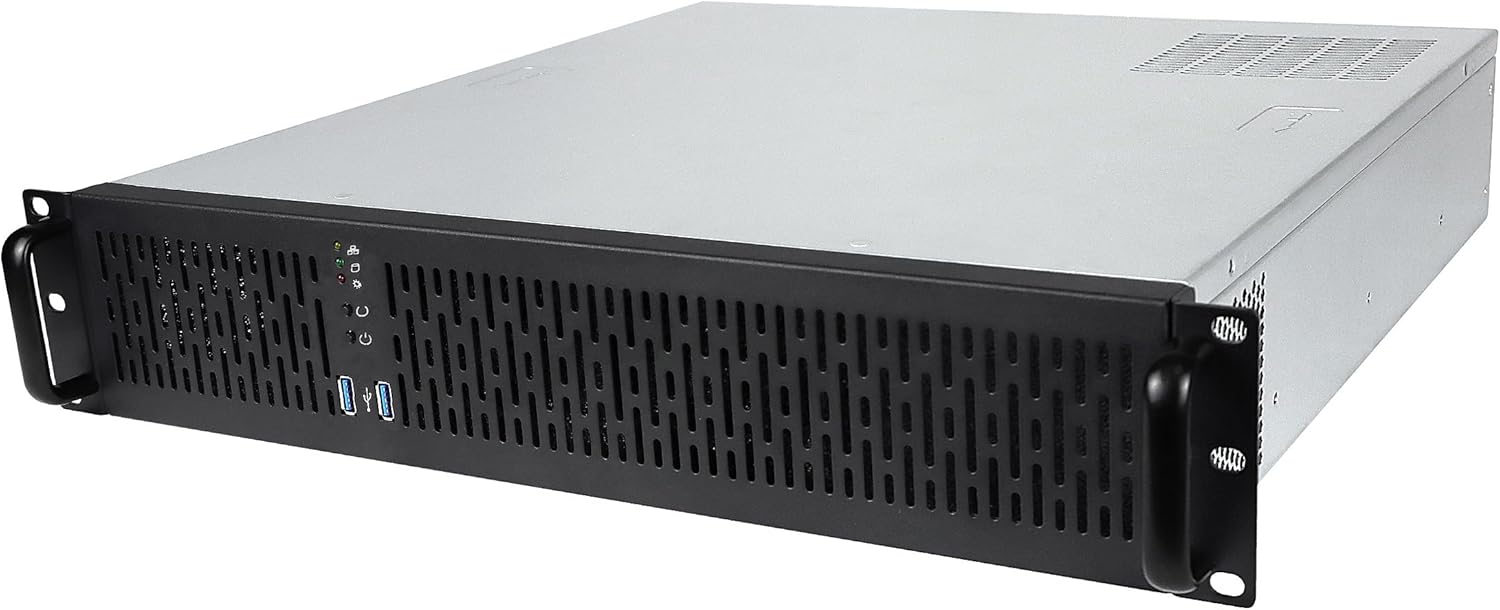
This is the case I use for my PBS: It is a 2U rackmount server chassis that provides plenty of drive bays and solid airflow for a homelab or small server. It is a good pick if you want a sturdy case that can grow with your storage and hardware needs.
What Happens When You Keep Ignoring Backups
Eventually you will break something.
Maybe it’s an update that doesn’t play nice (looking at you Jellyfin) Maybe you type the wrong container ID in the terminal. A typo that destroys a something important.
Without PBS:
- Stare at the error
- Dig through old blog posts to remember your setup
- Reinstall services one by one
- Fix permissions and rewire configs
- Hours disappear
With PBS:
- Open Proxmox
- Click restore
- Pick last night’s backup
- Wait five minutes
- Done
Last month I upgraded Jellyfin from 10.10.07 to 10.11. The database migration failed. Pre-PBS that would have been a full day to rebuild and rescan my media. With PBS it was a five minute restore.
Before PBS, I had anxiety about touching production services. I tiptoed around my own lab.
Now I experiment freely. I test upgrades without fear. I try new configurations to see what breaks. Worst case, I lose 24 hours of data and spend five minutes on a restore.
Simple Setup Flow
Here is the high level checklist. You do not need a full tutorial to get started.
- Grab a spare box or mini PC (seriously, check your closet)
- Install Proxmox Backup Server on it
- Add a datastore on a big disk
- On your Proxmox compute node, add PBS as a backup remote
- Create backup jobs for the VMs and LXCs that matter
- Daily schedule for critical stuff
- Weekly for everything else
- Reasonable retention rules (start simple)
- Run the first backup and watch it complete
- Do a test restore into a new VM or LXC ID
- Confirm the restored guest actually boots and works
- Optionally: delete something on purpose just to prove you can get it back
After that, backups go from “I should do something” to “this is just part of how the stack runs”.
What’s Next
At this point you have four roles in your on prem cloud:
- Router at the edge
- NAS for storage
- Compute for apps and services
- Backup to save you from your own bad decisions
And this backup server? It is the one that lets you sleep at night.